Six Bullets
3D Action Arcade Game
Description
This game was made for a project where I had complete freedom to choose anything I wanted, So after having watched Jojo Part 5 and being inspired by the stand (Power/Ability) Mista uses and really liking his ability and his character I decided to make it based on it! (I did have to change the name to Six Bullets)
I only had 2 requirements during this project.
- Make a Game Design document. (Feel free to check it, it is in Dutch though!)
- Make your own 3D model.
The premise of the game is to hit as many targets as possible within 60 seconds, whilst redirecting the bullets path to do so. beware though as u only have a limited time to redirect them and u might run out of redirections if you aren't careful enough. U can however buy more redirections if u have enough coins!
Six Bullets Playthrough
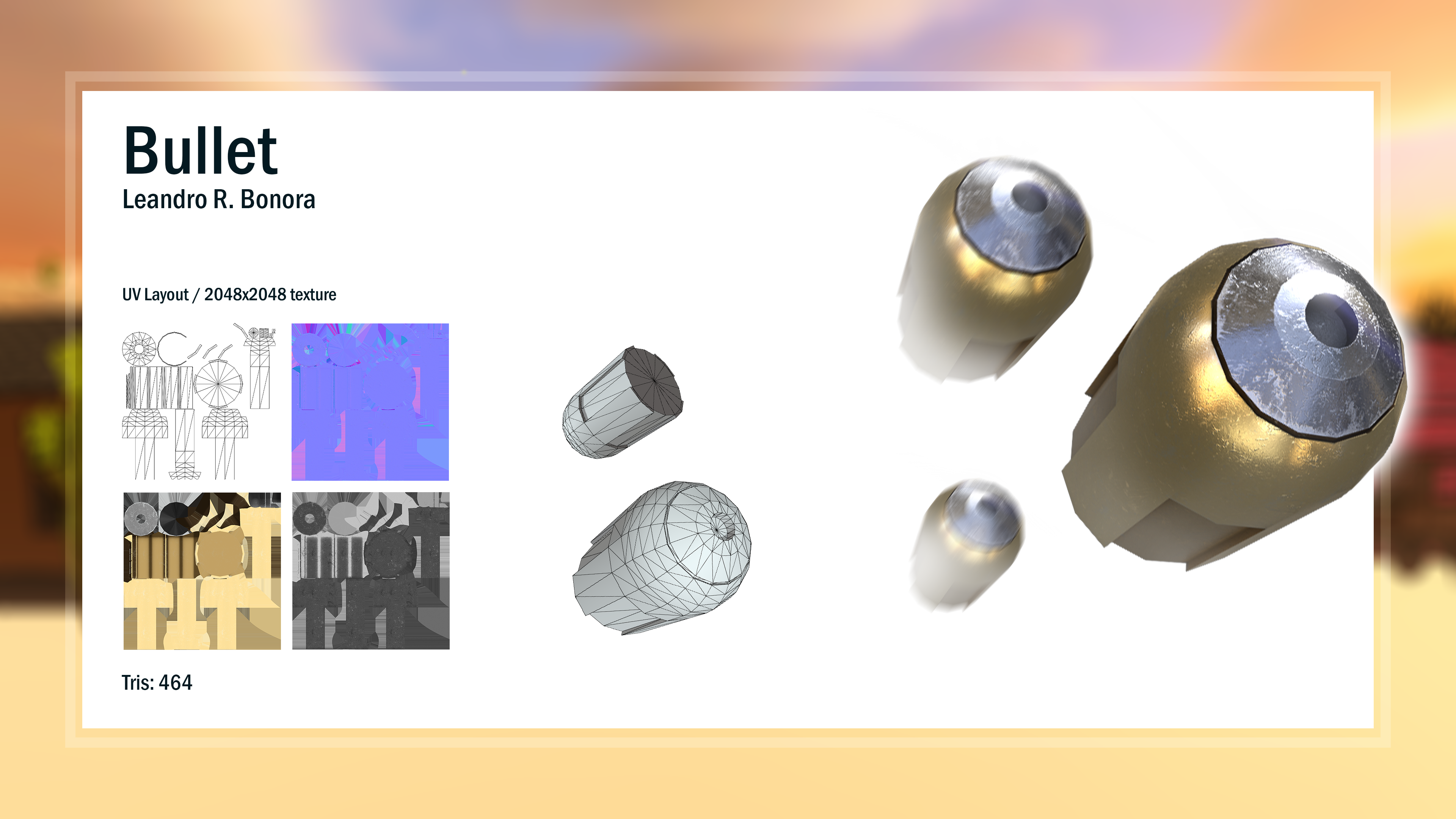
Here is the Bullet I modeled and textured!
Team
I was the sole developer during this project, Most of the art except for the bullet which I made myself :) was provided to me by school.
Team Members: 1
-
Developer
- Leandro Bonora
Work Process
Whilst working on this project I learned how to make a Game design document which was required before I could actually start making the game.
During this project there were 4 key things I learned and implemented.
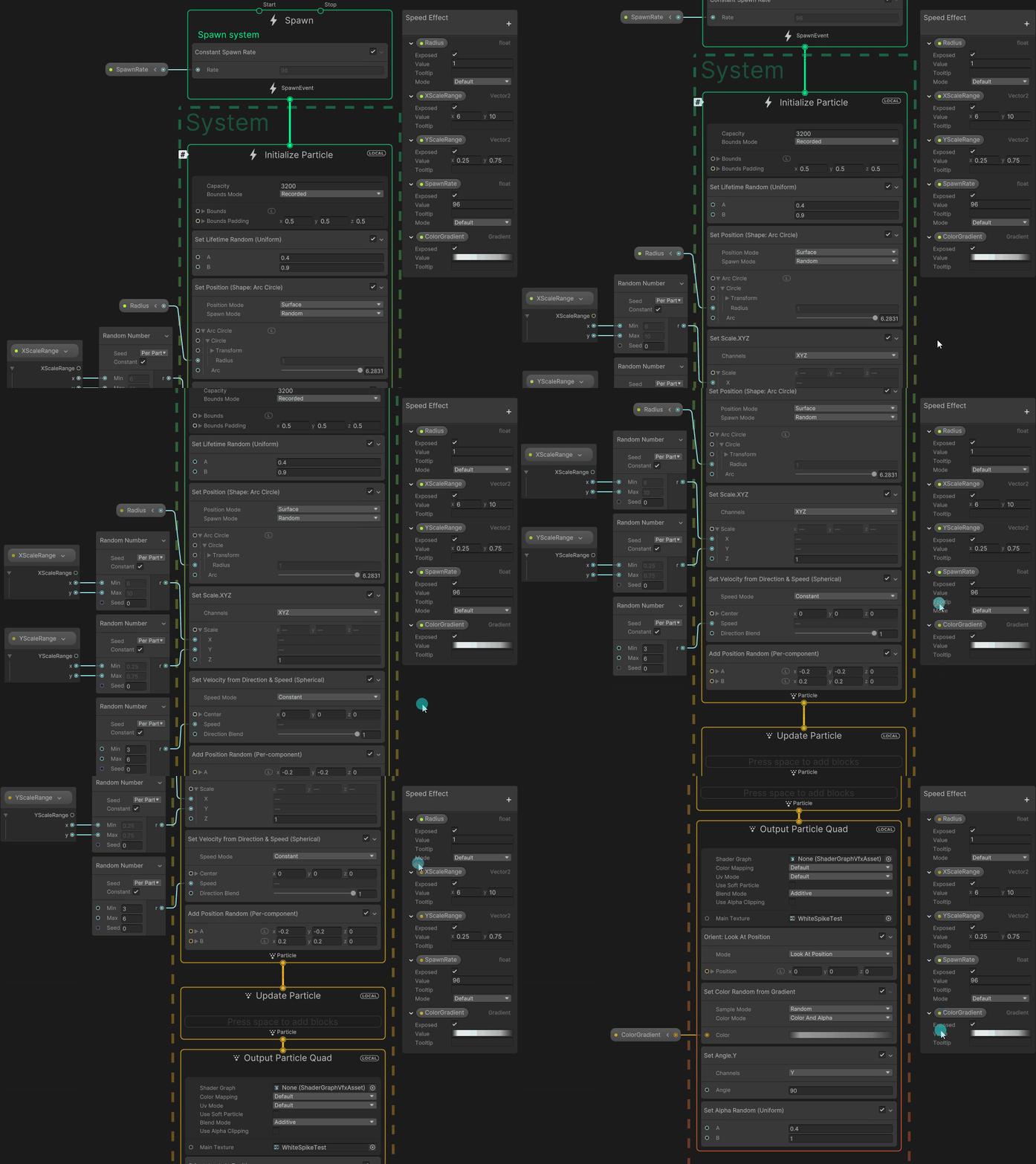
- I learned how to use VFX Graph to make the speed lines u see in most forms of media when something fast moves in this case a bullet!
- I made use of a Cinemachine camera, because it would offer me more flexibility whilst tweaking the gamefeel.
- I also made use of the new Input system because it would make me able to add easy controller support.
- I learned the basics of Maya and made my first own 3D Bullet Model!
Bullet
Due to the fact my bullet is the literal center point of my game I decided to make give it as much helpful values needed to tweak it just the way I wanted it to be and make it so that the bullet feels nice and dynamic. during my testing I did discover that without any restraints to the speed and with a crosshair people just won way too much so I put in some values to control the speed and add a bullet drop, as well as removing the crosshair entirely.
I provided the entire script but I would like to highlight the RedirectBullet function since that is the most important in my opinion.
This function first slows down the bullet thus giving the illusion of slowmotion. It then allows the player to rotate the bullet based on their mouse input. The redirection timer and UI are updated during this process. If the redirection timer reaches zero or the player clicks the ability button again, the EndRedirection() function will simply put give the bullet a speed boost and resume it on the new set trajectory.
public class Bullet : MonoBehaviour
{
    [Header("Debug Purposes")]
    public GameObject m_impactLocation;

    [Header("Player Input Settings")]
    [Tooltip("The sensitivity which the Player will move the camera with")]
    [SerializeField] private float m_sensitivity;

    [Header("Bullet Info")]
    [SerializeField] private GameObject m_model;
    [SerializeField] private GameObject m_target;

    [Header("Bullet Speeds & Variables")]
    [SerializeField] private float m_currentSpeed;
    [SerializeField] private float m_abilitySpeed;
    [SerializeField] private float m_decreaseSpeedValue;
    [SerializeField] private float m_increaseSpeedValue;
    [SerializeField] private float m_objectHitSpeedValue;
    [SerializeField] private float m_maxSpeed;
    [SerializeField] private float m_spinSpeed;
    [SerializeField] private float m_bulletDropSpeed;
    [SerializeField] private float m_dropRotationValue;
    [SerializeField] private bool m_bulletDropAllowed;
    [SerializeField] private bool m_spinAllowed;

    [Header("Redirection Variables")]
    [SerializeField] private float m_redirectionTimer;
    [SerializeField] private float m_maxRedirectionTime;

    [Header("UI & VFX Elements")]
    [SerializeField] private GameObject m_gui;
    [SerializeField] private GameObject m_menu;
    [SerializeField] private TextMeshProUGUI m_redirectText;
    [SerializeField] private VisualEffect VFX;
    [SerializeField] private ParticleSystem m_particleSystem;

    public bool GetRedirectionStatus() => m_redirectionInProgress;

    public GameObject GetImpactLocation() => m_impactLocation;

    public void ResetImpactLocation() => m_impactLocation = null;

    public void StartBulletSlowmo()
    {
        StartRedirection();
        m_redirectionTimer = 1f;
        RedirectBullet(m_objectHitSpeedValue);
    }

    private void Start()
    {
        if (GameManager.Instance.m_gameOn)
        {
            m_redirectionTimer = m_maxRedirectionTime;
            m_menu.SetActive(false);
        }
    }

    /// Summary
    /// Updates the bullet's position based on its speed and handles redirection, spinning, and bullet drop during the fixed update.
    ///
    private void FixedUpdate()
    {
        if (GameManager.Instance.m_gameOn && GameManager.Instance.m_firstFire)
        {
            if (!m_redirectionInProgress && GameManager.Instance.m_firstFire) transform.position += transform.forward * m_currentSpeed * Time.fixedDeltaTime;
            else if (m_redirectionInProgress) RedirectBullet(m_abilitySpeed);

            SpinBullet();
            BulletDrop();
        }
    }

    private void Update()
    {
        UpdateUI();
    }

    /// Summary
    /// Manages the visibility of the GUI and updates the speedlines shader graph effect based on the bullet's speed.
    ///
    private void UpdateUI()
    {
        if (!m_redirectionInProgress || !GameManager.Instance.m_gameOn)
        {
            m_gui.SetActive(false);
            VFX.SetFloat("SpawnRate", m_currentSpeed);
        }
        else if (m_redirectionInProgress)
        {
            m_gui.SetActive(true);
            float spawnrate = m_currentSpeed * (m_redirectionInProgress ? m_abilitySpeed / m_hitSpeed : 1f);
            VFX.SetFloat("SpawnRate", spawnrate);

            if (!m_redirectionInProgress) m_currentSpeed = spawnrate;
        }
    }

    /// Summary
    /// Moves and rotates the bullet based on input, updating the redirection timer and UI during redirection.
    ///
    private void RedirectBullet(float speed)
    {
        transform.position += transform.forward * speed * Time.fixedDeltaTime;
        float MouseX = Mouse.current.delta.x.ReadValue() * Time.deltaTime;
        float MouseY = -Mouse.current.delta.y.ReadValue() * Time.deltaTime;

        if (m_redirectionInProgress)
        {
            transform.Rotate(Vector3.up * MouseX * m_sensitivity + Vector3.right * MouseY * m_sensitivity);

            m_redirectionTimer -= Time.deltaTime;
            m_redirectText.text = m_redirectionTimer.ToString("0.0");

            if (m_redirectionTimer <= 0) EndRedirection();
        }
    }

    public void StartRedirection()
    {
        m_redirectionInProgress = true;
        m_bulletDropAllowed = false;
    }

    public void EndRedirection()
    {
        IncreaseBulletSpeed();
        m_redirectionInProgress = false;
        m_bulletDropAllowed = true;
        m_redirectionTimer = m_maxRedirectionTime;
        m_particleSystem.Play();
        MusicManager.Instance.RedirectionSound();
    }

    private void IncreaseBulletSpeed()
    {
        if (m_currentSpeed < m_maxSpeed) m_currentSpeed += m_increaseSpeedValue;
    }

    /// Summary
    /// Manages the bullet's descent, reducing its speed and adjusting rotation based on speed.
    ///
    private void BulletDrop()
    {
        if (m_bulletDropAllowed && m_currentSpeed >= 0)
        {
            m_currentSpeed -= Time.deltaTime * m_decreaseSpeedValue;

            if (m_currentSpeed > 10) m_dropRotationAmount = m_currentSpeed * m_bulletDropSpeed * 0.05f;

            gameObject.transform.Rotate(Vector3.right, m_dropRotationValue * Time.fixedDeltaTime, Space.Self);
        }
    }

    /// Summary
    /// Handles bullet spinning based on its speed and whether redirection is in progress.
    ///
    private void SpinBullet()
    {
        m_spinSpeed = m_currentSpeed / 20;
        if (m_spinAllowed) m_model.transform.Rotate(Vector3.up, m_redirectionInProgress ? (m_spinSpeed / 7.5f) : m_spinSpeed);
    }

    /// Summary
    /// Handles the trigger event when the bullet collides with another object, setting the impact location and triggering relevant actions.
    ///
    private void OnTriggerEnter(Collider other)
    {
        if (m_impactLocation == null)
        {
            m_impactLocation = other.gameObject;
            MusicManager.Instance.ImpactSound();

            if (other.gameObject.CompareTag("Target")) StartBulletSlowmo();
        }
    }
}
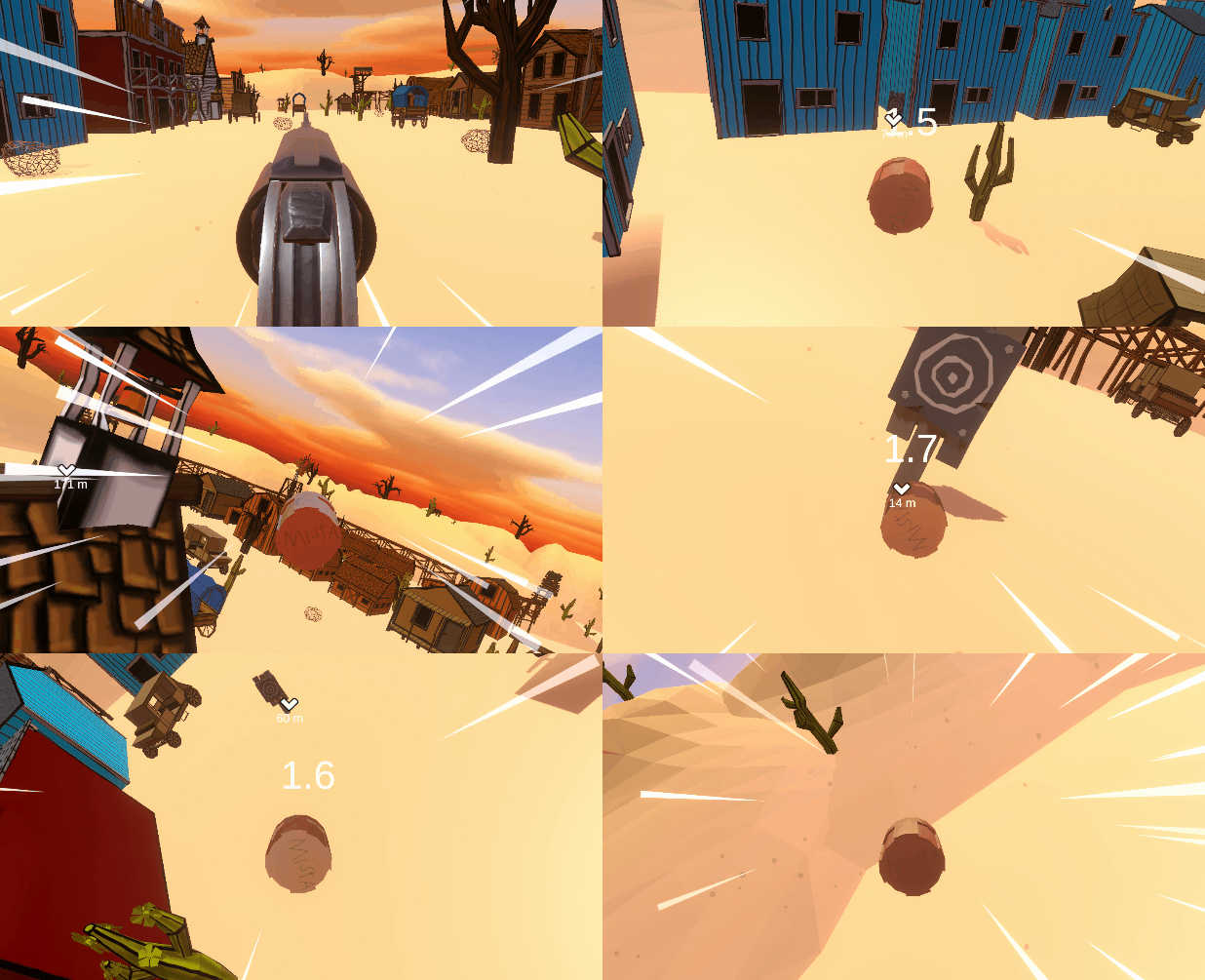
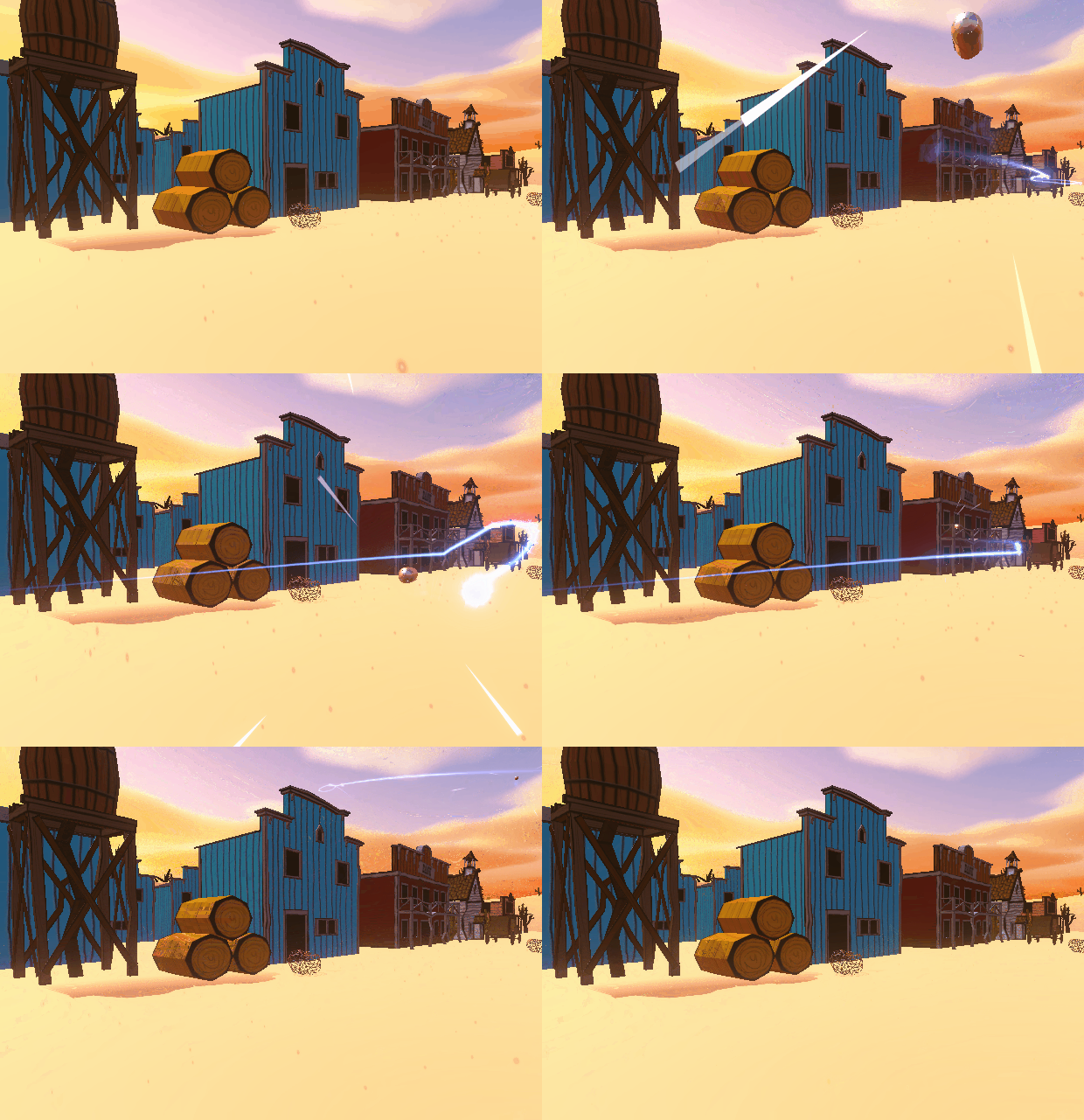
Underneath, you can see see the Bullet in action in 2 seperate POV's
WaypointUI
For my target I made a Waypoint script so it would highlight and create a literal waypoint to the target u are supposed to hit, I opted for this over any other solution since it is very straight forward literally and made it so I didn't have to explain the premise of the game!
public class WaypointUI : MonoBehaviour
{
    [SerializeField] private Image m_image;
    [SerializeField] private GameObject m_target;
    [SerializeField] private float m_uiOffset;
    [SerializeField] private TextMeshProUGUI m_uiText;

    private Vector2 pos;

    private void UpdateUIPosition()
    {
        m_image.transform.position = pos;
    }

    private void Update()
    {
        UpdateWaypoint();
    }

    public void UpdateWaypoint()
    {
        // Calculate screen boundaries and normalized direction from camera to target
        float minX = m_image.GetPixelAdjustedRect().width / 2;
        float maxX = Screen.width - minX;
        float minY = m_image.GetPixelAdjustedRect().height / 2;
        float maxY = Screen.height - minY;

        Vector3 dir = (m_target.transform.position - Camera.main.transform.position).normalized;

        if (GameManager.Instance.m_gameOn && Vector3.Dot(dir, Camera.main.transform.forward) > 0)
        {
            // Update UI position based on target's position
            pos = Camera.main.WorldToScreenPoint(m_target.transform.position);
            pos.y += m_uiOffset;
            UpdateUIPosition();
        }
        else if (GameManager.Instance.m_gameOn && Vector3.Dot(dir, Camera.main.transform.forward) > 0)
        {
            if (pos.x < Screen.width) pos.x = maxX;
            else pos.x = minX;
        }

        pos.x = Mathf.Clamp(pos.x, minX, maxX);
        pos.y = Mathf.Clamp(pos.y, minY, maxY);

        UpdateUIPosition();
    }

    // Updates UI Text with the distance between camera and target
    public void UpdateUIDistance(Vector3 camPosition)
    {
        float dist = Vector3.Distance(camPosition, m_target.transform.position);
        m_uiText.text = dist.ToString("0") + " m";
    }
}
This script makes it so u can give it a target and then that target will have a waypoint, that follows the target on the screen and displays the distance between the camera and the target. I made it a seperate script so I could call it on different objects if I wanted to add such a gamemode.
Here you can see the Waypoint system at work
Art
Here's a small compilation of all the (Technical) Art related stuff I made during this project!
Underneath, you can see the speedlines I made with VFX Graph, as well as the settings used for it (U can enlarge the gif by clicking on it!)
Since I wanted to make it feel more realistic and accordingly portray speed I made it so the speed of the bullet also determines the Spawnrate of the lines

Reflection
I liked this project a lot since I could combine aspects from a show I really liked into a game.
and since I now have some experience working with Maya and making a 3D model and texture, it'll help me gauge stuff better from an artists' perspective
I would've liked to make one of the "Six Bullets" as an actual model though but I frankly didn't have the skills to do some currently.
That being said it was a great project! (Small recommendation watch JJBA if u haven't! )