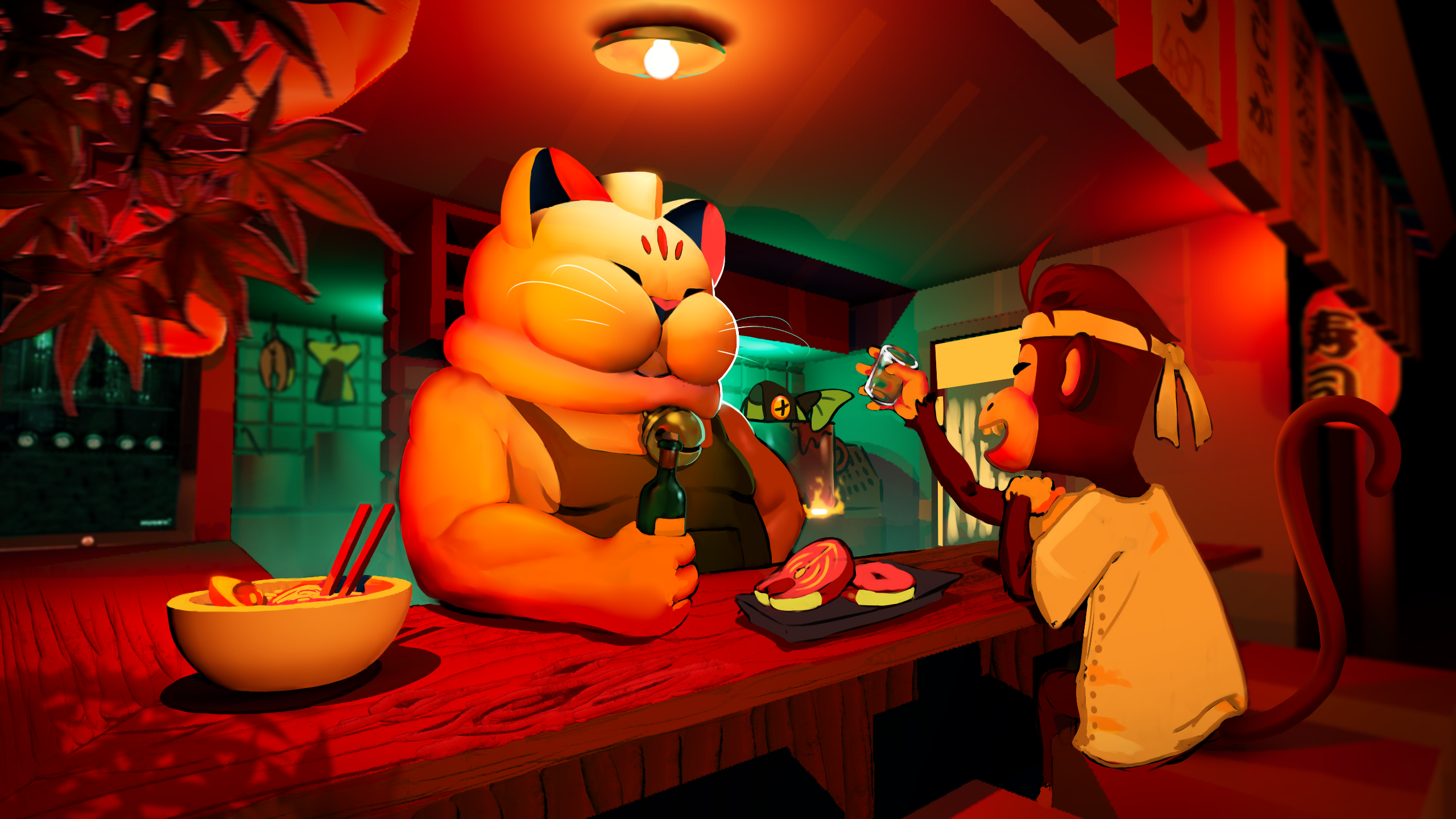
Sea Monkey
2D Pixel Art Arcade Game
Description
This game was made for a Game Jam during a project week at school. The theme for the Jam was reflection and we decided to go for a 2D game because that is easier to polish during a short amount of time.
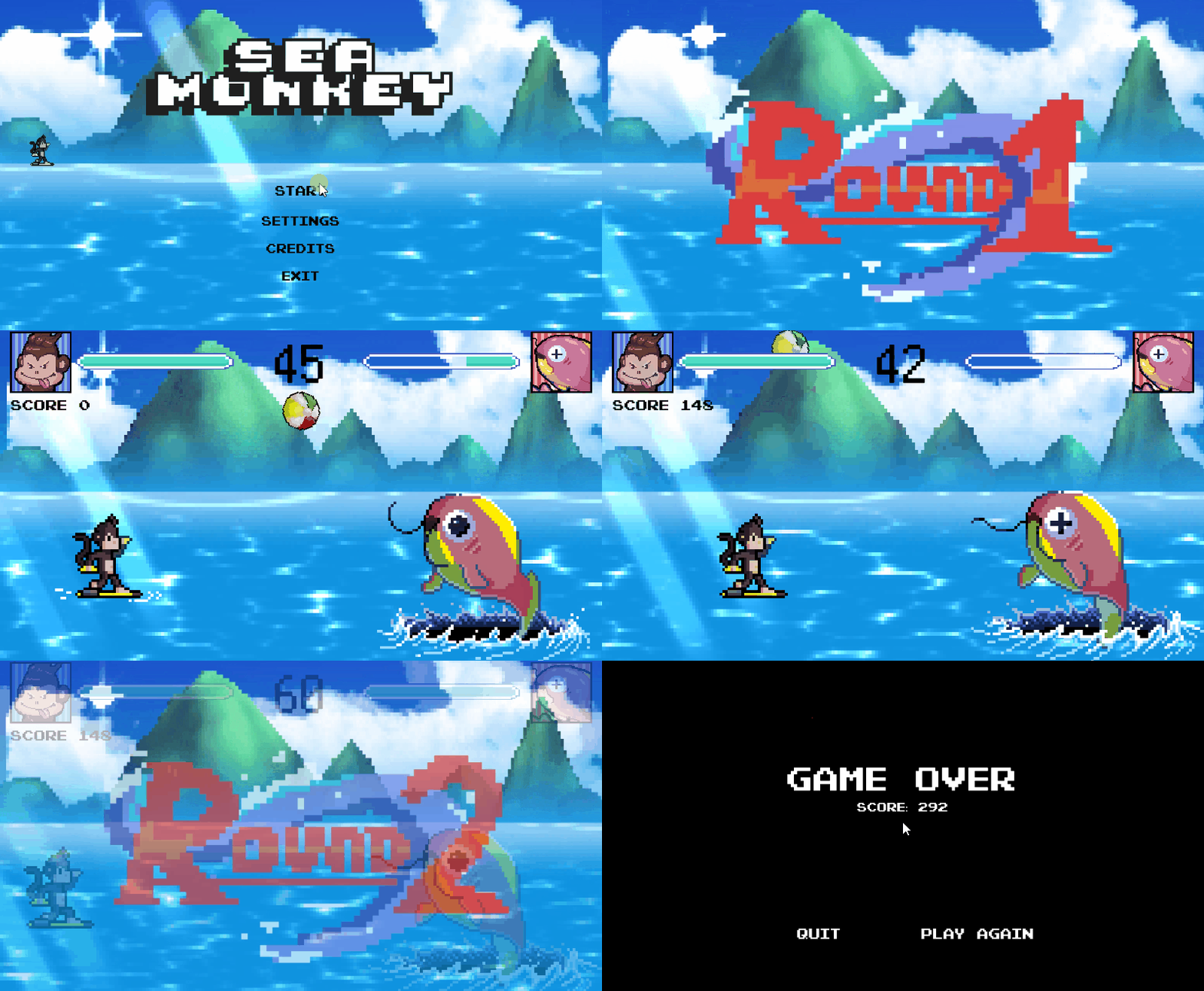
The premise of the game is to whilst in the air flip the monkey's surfboard and deflect the beach balls shot by the fish, back towards itself. Do this enough times and u might get a nice surprise at the end
Sea Monkey Playthrough
Team
This team was nicely balanced between artists and developers, this was for the most part the same team I've worked with during Starline (My Other Project) so I had a nice experience once again.
Team Members: 5
-
Developers
- Leandro Bonora (Programming)
- Milan Driece (Programming)
- Aiden Glen (2D)
- Annelot van der Leden (2D)
- Anna Heijblom (3D, VFX)
Artists
Work Process
Since this was a game jam we decided to go for a very rapid prototyping way of working where we just decided on a theme for the game. When needed we developed things along the way and or asked for extra sprites. Which worked out in our favor since we were done with the first Prototype within the first day! After that it was mostly smooth sailing with just polishing extra stuff and adding extra's such as a score.
I worked on stuff such as: Enemy, Projectile, Score and the Wave Manager alongside all UI related things.
Also! Fun fact the mountains in the background are actually 3D but have a filter on them to make them appear 2D!
WaveManager
Since we wanted to add in Waves like in Arcade games I took it upon myself to do this. After making the enemy! which little side note: The fish enemy idea came from the original concept from Aiden, so we decided to stick to it and make it shoot beachballs because it was easier than making a stream of water and to also tie into the "Reflection" theme since u could also think of it as that it shoots plastic beachballs because it's oceans are getting polluted.
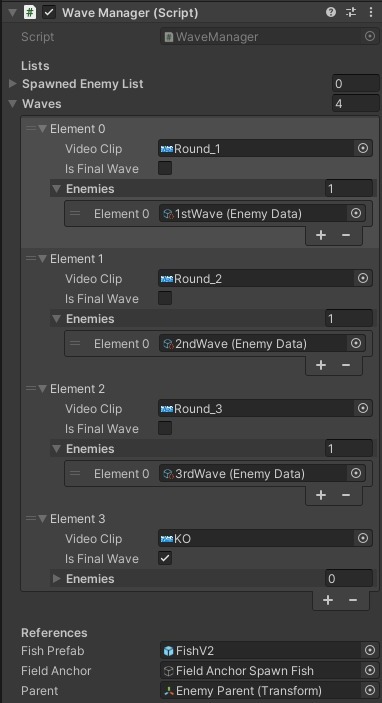
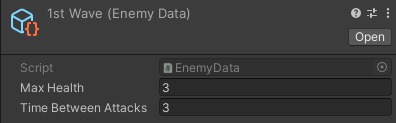
The Wave Manager works quite nicely it has and can take in all the important information for the Fish such as: max health and attack speed from the scriptable objects u give it. Which makes it easy to change or tweak the wave and the enemy separately or together. Especially since we added difficulties to the game and thus can easily change the enemy by swapping the Enemy Data.
Underneath, you can see the Wave Manager structure in the inspector, as well as the enemy data Scriptable Object. And a sped up gif of the Wave Manager in action.
public class WaveManager : MonoBehaviour
{
    [Header("Lists")]
    [SerializeField] private List m_spawnedEnemyList = new List();
    [SerializeField] private List waves = new List();

    [Header("References")]
    [SerializeField] private GameObject m_fishPrefab;
    [SerializeField] private GameObject m_fieldAnchor;
    [SerializeField] private Transform m_parent;

    private PlayerMovement playerMovement;
    private Coroutine coroutine;
    private int enemiesDefeated;

    public static WaveManager Instance;

    [Serializable]
    public class WaveData
    {
        public VideoClip videoClip;
        public bool isFinalWave;
        public List enemies;
    }

    private void Awake()
    {
        if (Instance != null && Instance != this) Destroy(this);
        else Instance = this;
    }

    private void Start()
    {
        playerMovement = FindObjectOfType();
    }

    public void StartNextWave()
    {
        ClearProjectiles();

        if (enemiesDefeated < waves.Count)
        {
            var currentWave = waves[enemiesDefeated];

            InstantiateEnemies(currentWave.enemies, m_fieldAnchor.transform.position, m_fieldAnchor.transform.rotation);

            Timer.Instance.ResetTimer();
            VideoHandler.Instance.PlayVideo(currentWave.videoClip);

            if (currentWave.isFinalWave)
            {
                GameManager.Instance.m_gameOn = false;
                StartEndRoutine(4.2f, false);
            }
            else StartWaitRoutine(4.2f);
        }

        playerMovement.ResetPlayerPosition();
    }

    private void ClearProjectiles()
    {
        GameObject[] SpawnedProjectiles = GameObject.FindGameObjectsWithTag("Projectile");
        foreach (GameObject gameObject in SpawnedProjectiles) Destroy(gameObject);
    }

    private void InstantiateEnemies(List enemies, Vector3 position, Quaternion rotation)
    {
        foreach (var enemyData in enemies)
        {
            GameObject instantiatedEnemy = Instantiate(m_fishPrefab, position, rotation);
            Fish fishComponent = instantiatedEnemy.GetComponent();

            if (fishComponent != null)
            {
                fishComponent.EnemyData = enemyData;
                fishComponent.SetCorrectValues();
                instantiatedEnemy.transform.SetParent(m_parent);
                m_spawnedEnemyList.Add(instantiatedEnemy);
            }
        }
    }

    private void StartWaitRoutine(float timeWait)
    {
        if (coroutine == null)
        {
            StartCoroutine(WaitRoutine(timeWait));
            GameManager.Instance.m_gameOn = false;
        }
    }

    private IEnumerator WaitRoutine(float timeWait)
    {
        yield return new WaitForSeconds(timeWait);
        GameManager.Instance.m_gameOn = true;
        coroutine = null;
    }

    public void StartEndRoutine(float waitTime, bool playerDied)
    {
        if (coroutine == null) coroutine = StartCoroutine(EndRoutine(waitTime, playerDied));
    }

    private IEnumerator EndRoutine(float timeWait, bool playerDied)
    {
        yield return new WaitForSeconds(0.03f);
        if (playerDied)
        {
            InGameUI.Instance.TurnOffInGameUI();
            EndMenu.Instance.OpenEndMenu();
        }
        else
        {
            Dialogue.Instance.TurnOnDialogue();
            EndMenu.Instance.OpenWinMenu();
        }
        yield return new WaitForSeconds(timeWait);
    }
}
The WaveManager script is responsible for managing
the wave-based gameplay, including enemy spawning with their accurate data, videos for the different waves. This makes it really easy for me to adjust and or add waves.
Reflection
I had a lot of fun during this Game Jam because we had a very nice approach to it and decided to go very simple but very polished which was great in my opinion.
I do have to admit I had a little trouble switching on the 1st day from constantly making 3D projects to going back to 2D but that switch was quickly made!
My favorite part is definitely the ending screen u get when u finished the game and the dialogue u get with it! I won't spoil the dialogue u get though >:D