Donkey Kong Remake
2D Platform Game
Description
This project was the first time Developers got to work alongside Artists! Which was a great experience for me I really enjoyed it a lot, seeing the ideas come to life in the art was really cool to see.
During this project we had to remake a level from the original Donkey Kong, and give it our own style twist, we eventually settled on a circus theme. The game is very simple make it to the top and save the princess, whilst dodging the bouncy balls thrown down by the evil clown!
Donkey Kong Remake Gameplay
Team
This project was supposed to have 2 Developers and 2 Artists but due to circumstances I was the sole developer alongside 2 Artists.
Team Members: 3
-
Developer
- Leandro Bonora
- Annelot van der Leden
- Lieke Meijer
Artists
Work Process
Since this project was supposed to have 2 Developers and I was on my own I had to do everything on the development side which at the time was quite a task but I managed! In hindsight this project was very informative for me and I learned a lot from it, since I hadn't done stuff like UI, Audio before this project.
RaycastHit2D
Most if not the entire game was no joke based on this very tiny piece of logic that I repurposed for everything I needed I used it for Jumping, Climbing and Pick ups to name a few. At the time it was very ideal since everything I needed was easily checkable by changing a couple of the values in the logic.
Here is the way I implemented it for the IsGrounded check.
This function will return a bool based on in this case wether or not the player is standing on the floor, additionally I used a Layermask just so I could control what it could jump from and what it couldn't jump from.
private bool IsGrounded()
    {
        RaycastHit2D hit = Physics2D.BoxCast(m_capsuleCollider.bounds.center,
        m_capsuleCollider.bounds.size, 0f, Vector2.down, .1f, m_platformsLayerMask);
        return hit.collider != null;
    }
Climbing
For the Climbing I went with a relatively easy route, I did however make use of the Platform Effector2D component to make the player seamlessly come on top of the platform / top of the ladder. Which was a fun addition I didn't know I could do previously.
private void Climbing()
        {
            if (LadderNearby() == true && whip.m_isWhipEquipped == false)
            {
                m_animator.SetBool("IsClimbing", true);
                m_animator.SetBool("IsJumping", false);
                if (Input.GetKeyDown(KeyCode.W))
                {
                    m_animator.SetBool("IsClimbing", true);
                    m_rigidBody2D.gravityScale = 0;
                    m_rigidBody2D.velocity = new Vector2(m_rigidBody2D.velocity.x, m_climbValue);
                }
            }

            else
            {
                m_animator.SetBool("IsClimbing", false);
                m_rigidBody2D.gravityScale = 4;
            }
        }
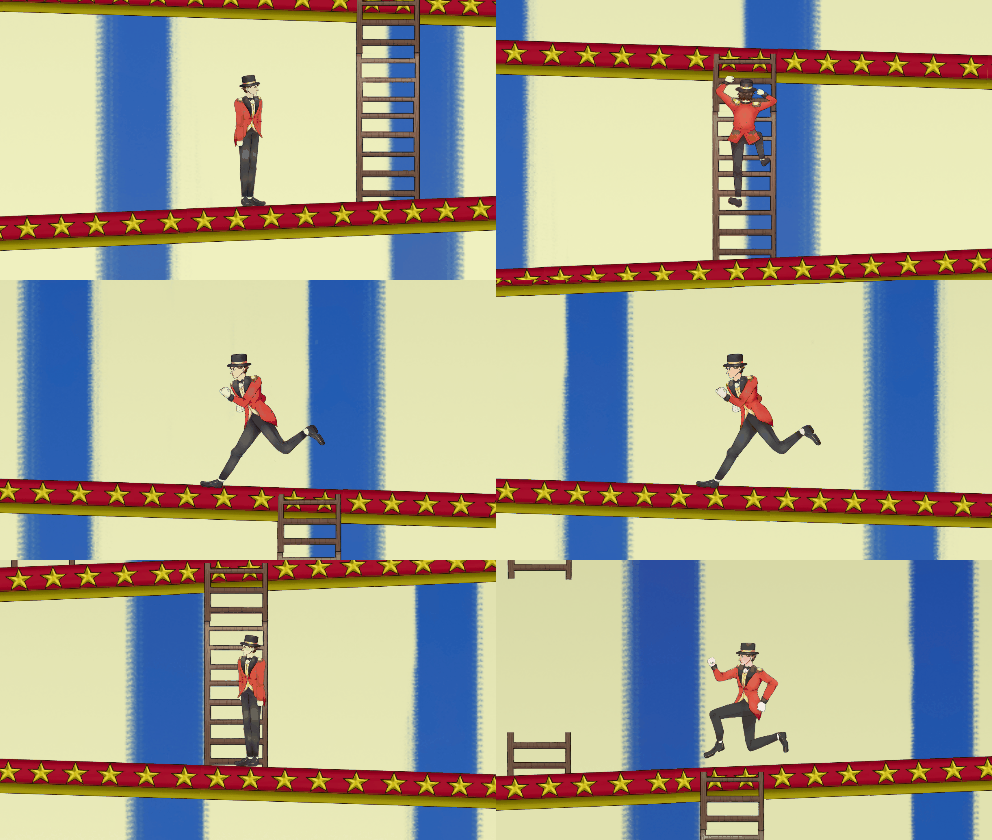
I made use of the RaycastHit2D Logic in this case I made it check if the player was nearby a Ladder besdies that I checked wether or not they hadn the Whip equipped which was so the player had to choose either get the whip and destroy the balls coming towards u or climb up. Then after adjusting some animations it would turn down the gravity scale and make the player move up. Whilst also turning on said animations.
Here you can see the Climbing!
Reflection
Eventhough it was a hurdle in the beginning that I had to do everything myself on the Development side, due to everything in Unity being new to me
I enjoyed this project and learned quite a lot from it!
I really liked working with Artists for the first time since it was also one of the first times of actually socializing with them which I enjoyed.